
Data & Content API — publish and sync your geospatial content from any source.
Documented REST API (OpenAPI), webhooks, native connectors for your existing tools. Your data, your format, rendered on the map.
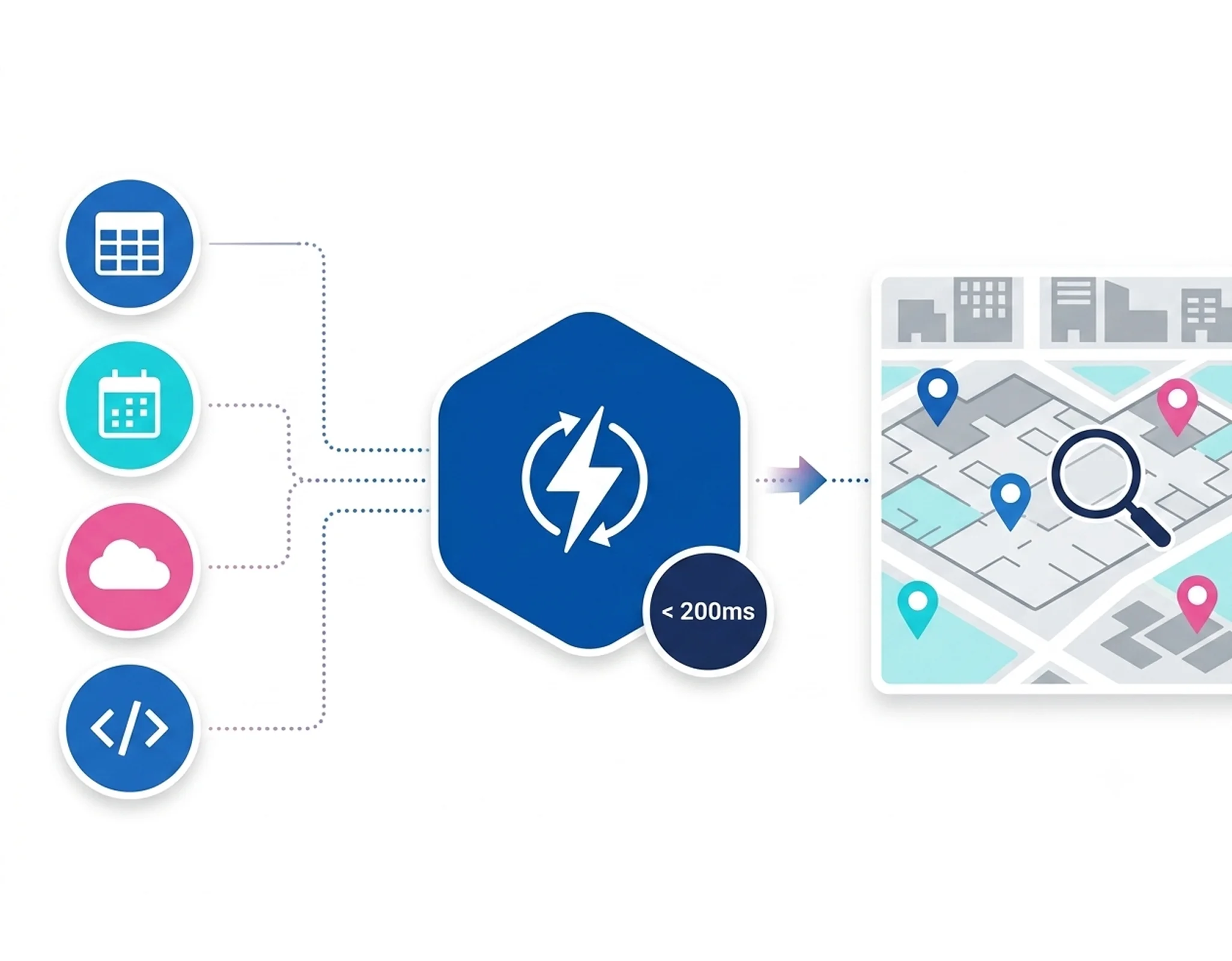
From source to map — without intermediate code.
Over 100 off-the-shelf connectors: Excel, Google Sheets, OpenDataSoft, OpenAgenda, or your own RESTful API.
Field mapping, format transformation, geographic enrichment (geocoding, GIS processing, joins, etc.).
Scheduled or real-time sync via webhook. Conflict resolution and content versioning.
Content available on map, in search, via deep-link and in the API — no manual redistribution.
All your geospatial content types, unified.
Points, lines, polygons, events — a consistent data model, one API to manage it all.
Rich attributes: name, description, category, icon, images, opening hours, rich media, accessibility, and customizable fields.
GPX, GeoJSON, multi-step routes with associated media, elevation profile, difficulty.
Polygons, perimeters, heatmaps, 2D/3D buildings, administrative boundaries.
Dated, geolocated events. Filter by date, category, proximity. Real-time via connectors.
Group POIs into curated collections — walks, selections, multilingual themes.
Live feeds: parking availability, water levels, IoT sensors, transit feeds. WebSocket or polling.
Built for large-scale integration
Wemap offers native integrations with various platforms, including Google Sheets and Excel. Your data synchronizes continuously, without the need for additional development.
View the API documentation →Performance and platform coverage.
Performance
| API latency | < 200 ms (p95) |
| Uptime SLA | 99.9% |
| Max POIs per map | 1 000 000+ |
| Webhooks | ✓ |
| Auto-geocoding | ✓ |
| Versionning | ✓ |
Access by interface
| Interface | Status |
|---|---|
| REST API | Full |
| JavaScript SDK | Full |
| iOS Native | Via Map SDK |
| Android Native | Via Map SDK |
| Flutter | Via Map SDK |
Features: Create POI · Update · Delete · Batch import · Webhooks · Real-time sync
Map your data in 2 minutes.
# 1. Get an access token (OAuth2 client credentials)
curl -X POST https://api.getwemap.com/v3.0/oauth2/token \
  -H "Authorization: Basic BASE64(client_id:client_secret)" \
  -H "Content-Type: application/x-www-form-urlencoded" \
  -d "client_id=YOUR_CLIENT_ID&grant_type=client_credentials"
# → { "access_token": "..." }

# 2. Create a pinpoint
curl -X POST https://api.getwemap.com/v3.0/pinpoints \
  -H "Authorization: Bearer YOUR_ACCESS_TOKEN" \
  -H "Content-Type: application/json" \
  -d '{
    "name": "Boutique principale",
    "description": "Notre boutique phare sur 3 niveaux",
    "address": "1 rue de Rivoli, 75001 Paris, France",
    "latitude": 48.8698,
    "longitude": 2.3078,
    "category": 1,
    "tags": ["flagship", "mode", "paris"]
  }'
# → 201 Created// The Content API is REST-only — call it directly with fetch,
// no SDK wrapper required.
const tokenRes = await fetch('https://api.getwemap.com/v3.0/oauth2/token', {
method: 'POST',
headers: {
Authorization: 'Basic ' + btoa(`${clientId}:${clientSecret}`),
'Content-Type': 'application/x-www-form-urlencoded',
},
body: 'grant_type=client_credentials',
});
const { access_token } = await tokenRes.json();
const poi = await fetch('https://api.getwemap.com/v3.0/pinpoints', {
method: 'POST',
headers: {
Authorization: `Bearer ${access_token}`,
'Content-Type': 'application/json',
},
body: JSON.stringify({
name: 'Boutique principale',
description: 'Notre boutique phare sur 3 niveaux',
latitude: 48.8698,
longitude: 2.3078,
category: 1,
tags: ['flagship', 'mode', 'paris'],
}),
}).then((r) => r.json());
console.log('POI created:', poi.id);import requests
from requests.auth import HTTPBasicAuth
BASE_URL = "https://api.getwemap.com/v3.0"
# 1. Get an access token (OAuth2 client credentials)
token_res = requests.post(
f"{BASE_URL}/oauth2/token",
auth=HTTPBasicAuth("YOUR_CLIENT_ID", "YOUR_CLIENT_SECRET"),
data={"grant_type": "client_credentials"},
)
access_token = token_res.json()["access_token"]
# 2. Create a pinpoint
response = requests.post(
f"{BASE_URL}/pinpoints",
headers={"Authorization": f"Bearer {access_token}"},
json={
"name": "Boutique principale",
"latitude": 48.8698,
"longitude": 2.3078,
"category": 1,
"tags": ["flagship", "mode", "paris"],
},
)
poi = response.json()
print(f"Created POI: {poi['id']}")# List pinpoints for a map (once you have an access token)
curl https://api.getwemap.com/v3.0/pinpoints?map_id=YOUR_MAP_ID \
-H "Authorization: Bearer YOUR_ACCESS_TOKEN" \
| jq '.data | length'Millions of items, synchronised in real time.
"Automatic sync via the Wemap connexion transformed our operations. Our 3,000 tenants update every night with zero manual intervention."— Digital Team, MIN de Rungis
Secure data, open formats, full portability.
Your data stays in open formats, hosted in Europe by default, exportable at any time.
Full OpenAPI 3.0 spec — generate clients in any language via Swagger or Postman.
Data hosted in Europe by default, no third-party transmission, full export on request.
Native GeoJSON, KML, GPX, CSV import and export — your data stays in open standards.
Deploy the Content API in your own infrastructure — same API, 100% your data.
Your data on the map, in a few lines.
RESTful API, native connectors, full documentation.
Questions? Our technical team responds within the day. pro@getwemap.com